jueves, 19 de julio de 2012

miércoles, 18 de julio de 2012
WEEK 19
During this week I learnt how to use slideshare
presentation. It is a website that
offers users the ability to upload and share, in public or private, slide shows
in PowerPoint, Word documents, OpenOffice, PDF Portfolios. If you want to
upload your presentation you need to create an account to be a member and can to use it. If you want
to know more visit this web site www.slideshare.net where you can find information
about this useful tool for education and
learning.
In order to learn about this useful tool the teacher asked us to
make a presentation of our student
portfolio using it. As you can see in this presentation we covered five
elements in this module, in each element I learnt a lot practical and
interesting things about internet and multimedia which allowed me to enrich my
knowledge and develop my computer skills
and the most important how to use this set of technologies in education to
create more active classes that help students in their process of learning.
Thanks, I really appreciate her help and dedication in each of her teachings.
WEEK 18
During this week I learnt the application of some different
web 2.0 tools for example: Wikispaces, Twitter, Dokeos, Authorsteam, Podomatic,
Podcasts, Nicenet, Edmodo,etc. The teacher asked us to put the knowledge into
practice by creating our own Virtual Learning Environment. For this assignment I created my VLE in nicenet. So I have know how to manage it as a
teacher and as a student. In order to use it as a teacher I need to create an account. This
is easy you only go to www.nicenet.net and follow the
different steps in order to have access
as a teacher. I created my cooperative platform in order to provide my students
the key to join my class.
Integrating technology in
the IFL has many purposes, it can be used to provide more in depth information
on a specific topic, access to authentic target language materials, it
facilitates higher thinking skills and knowledge construction and students can
learn to find, analyze, and synthesize information. In conclusion, the net in
classrooms is a powerful tool that helps not only teachers but also students to develop their
skills in listening, reading, writing and speaking in an active form.
According the
schedule this week was appointed to defend the interdisciplinary project. This
experience was really good for us as
students because we had to defend our proposal. Work in which all groups worked
hard to give the best.
Another important thing that I have to made is to create a VLE in Edmodo. This is one of the best tools
of web 2.0 that provides teachers and students a secure place
to connect and collaborate, as well as to
share content and educational applications, and access homework, grades,
class discussions and notifications.
In order to learn about edmodo, I watched some tutorial videos that help me to
understand its use
and applications.
In my virtual learning environment I included different activities to give then a great opportunity to put in
practice their previous knowledge acquired in last class such as: a video, PPT,
questions an d answers and a quiz to test students their knowledge.
The net offers powerful resources for teachers such
as: warm up, lesson plans, songs, games,
flash cards, videos, etc. These resources help teachers to understand the use
of technology and how to use them
according learner´s needs. In conclusion, the use of tech can change the learner environment in
place where teachers work, but has to
be resource gathering, understanding the
way in which technology changes the teaching and learning process.
The use of technology can change the learning
landscape in the place where teachers work, but there has to be resource gathering, and understanding the way in which technology changes teaching
and learning.
WEEK 17
Well, the oral presentations about Web 2.0 tools
started on Tuesday and they were pretty interesting for me. I am going to
explain briefly some of the tools learned in the classroom. The first group
explained about Twitter. If you want to
learn about these tools,watch the following
tutorial videos.
TWITTER
GOOGLE MAPS
PODCAST
FLICKR
WEEK 16
This week
unfortunately there is not internet. So the teacher decided to talk about some
aspects about education and how to create good relationship between teacher and students . This was
analyzed in three levels such as: school,
high-school and university. Furthermore, the teacher gave good advices
to understand students and how to help them to solve their problems. If you
want to know about the strengths that an
effective teacher should has, please watch this video.
WEEK 15
This week we did not have class, I take this time to relax
me and prepare my presentation for next
week.

WEEK 14
This week was useful for me because I learned about
web 2.0 and some kind of blogs I order to use
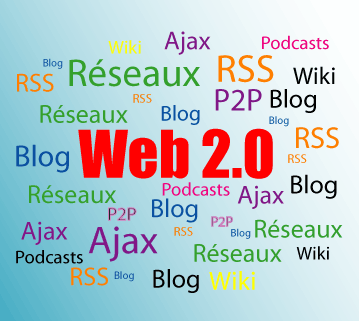
EFL. Well, Web 2.0 is the popular term for advanced Internet
technology and applications including blogs, wikis, RSS,
and social bookmarking . For instance nicenet, twtter, dokeos, blogger, youtube, edmodo wikispaces,
etc. Web 2.0 is more than a set of new technologies and services, it provides
teachers several powerful tools to
perform their classes in an active and creative way.
 Another important thing that I learnt during classes
was about Google Docs. It is a collaborate tool of Web 2.0 that permits create,
store and share documents in a real time. Your work is stored online and you
can access. In order to learnt about this tool each student created his or her
Google Docs and work on them in a collaborative way and participate in the
process actively. Definitely, I liked
this way of working because everybody can participated without interrupting the
presentation.
Another important thing that I learnt during classes
was about Google Docs. It is a collaborate tool of Web 2.0 that permits create,
store and share documents in a real time. Your work is stored online and you
can access. In order to learnt about this tool each student created his or her
Google Docs and work on them in a collaborative way and participate in the
process actively. Definitely, I liked
this way of working because everybody can participated without interrupting the
presentation.
WEEK 13
Well, during this week I learned how to keep a electronic portfolio in CUADERNIA and how to use the program PREZI. Cuadernia is an software developed by Consejería de Educación, Cultura y Deportes de Castilla-La Mancha for the creation and diffusion of digital educational materials, as an educational program it is very useful for teachers and students because it provides different kind of tools which can be used to create more attractive materials. For example: teachers can create their educational materials and access to educational content for different subjects in some levels like: primary, secondary, high school and professional training. For more information you can visit this web site
PREZI is an application that help you to create prezi
presentations. In order to learn more about it the teacher asked us to make a
class using this application. For this I visited http://prezi.com where I find a lo of interesting information about its
features and how to be installed. Well let me tell you that this one of the most important web 2.0 tools. It is
online presentation editor based in a presentation software It’s free to
use by registering an account online. Prezi can be used directly from an
internet browser or it can also be installed in your desktop so you can use it
without internet access. It is much better than PPT you can insert images,
video, files, import your PowerPoint and sound, of course you can share your
prezis with anyone you like. For me as a student it is really good because I
can make active presentations thanks to its properties and as a future teacher it is really fantastic because
it will allow me to make classes more fun and visual for my students. I think that they will
learned faster and better. If you want
to know more about it, please visit this link out http://prezi.com/
Suscribirse a:
Comentarios (Atom)