jueves, 19 de julio de 2012

miércoles, 18 de julio de 2012
WEEK 19
During this week I learnt how to use slideshare
presentation. It is a website that
offers users the ability to upload and share, in public or private, slide shows
in PowerPoint, Word documents, OpenOffice, PDF Portfolios. If you want to
upload your presentation you need to create an account to be a member and can to use it. If you want
to know more visit this web site www.slideshare.net where you can find information
about this useful tool for education and
learning.
In order to learn about this useful tool the teacher asked us to
make a presentation of our student
portfolio using it. As you can see in this presentation we covered five
elements in this module, in each element I learnt a lot practical and
interesting things about internet and multimedia which allowed me to enrich my
knowledge and develop my computer skills
and the most important how to use this set of technologies in education to
create more active classes that help students in their process of learning.
Thanks, I really appreciate her help and dedication in each of her teachings.
WEEK 18
During this week I learnt the application of some different
web 2.0 tools for example: Wikispaces, Twitter, Dokeos, Authorsteam, Podomatic,
Podcasts, Nicenet, Edmodo,etc. The teacher asked us to put the knowledge into
practice by creating our own Virtual Learning Environment. For this assignment I created my VLE in nicenet. So I have know how to manage it as a
teacher and as a student. In order to use it as a teacher I need to create an account. This
is easy you only go to www.nicenet.net and follow the
different steps in order to have access
as a teacher. I created my cooperative platform in order to provide my students
the key to join my class.
Integrating technology in
the IFL has many purposes, it can be used to provide more in depth information
on a specific topic, access to authentic target language materials, it
facilitates higher thinking skills and knowledge construction and students can
learn to find, analyze, and synthesize information. In conclusion, the net in
classrooms is a powerful tool that helps not only teachers but also students to develop their
skills in listening, reading, writing and speaking in an active form.
According the
schedule this week was appointed to defend the interdisciplinary project. This
experience was really good for us as
students because we had to defend our proposal. Work in which all groups worked
hard to give the best.
Another important thing that I have to made is to create a VLE in Edmodo. This is one of the best tools
of web 2.0 that provides teachers and students a secure place
to connect and collaborate, as well as to
share content and educational applications, and access homework, grades,
class discussions and notifications.
In order to learn about edmodo, I watched some tutorial videos that help me to
understand its use
and applications.
In my virtual learning environment I included different activities to give then a great opportunity to put in
practice their previous knowledge acquired in last class such as: a video, PPT,
questions an d answers and a quiz to test students their knowledge.
The net offers powerful resources for teachers such
as: warm up, lesson plans, songs, games,
flash cards, videos, etc. These resources help teachers to understand the use
of technology and how to use them
according learner´s needs. In conclusion, the use of tech can change the learner environment in
place where teachers work, but has to
be resource gathering, understanding the
way in which technology changes the teaching and learning process.
The use of technology can change the learning
landscape in the place where teachers work, but there has to be resource gathering, and understanding the way in which technology changes teaching
and learning.
WEEK 17
Well, the oral presentations about Web 2.0 tools
started on Tuesday and they were pretty interesting for me. I am going to
explain briefly some of the tools learned in the classroom. The first group
explained about Twitter. If you want to
learn about these tools,watch the following
tutorial videos.
TWITTER
GOOGLE MAPS
PODCAST
FLICKR
WEEK 16
This week
unfortunately there is not internet. So the teacher decided to talk about some
aspects about education and how to create good relationship between teacher and students . This was
analyzed in three levels such as: school,
high-school and university. Furthermore, the teacher gave good advices
to understand students and how to help them to solve their problems. If you
want to know about the strengths that an
effective teacher should has, please watch this video.
WEEK 15
This week we did not have class, I take this time to relax
me and prepare my presentation for next
week.

WEEK 14
This week was useful for me because I learned about
web 2.0 and some kind of blogs I order to use
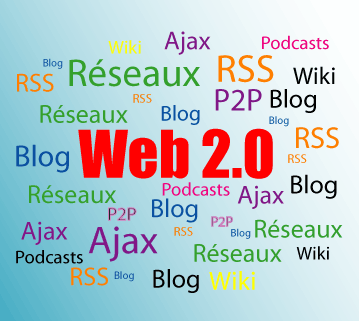
EFL. Well, Web 2.0 is the popular term for advanced Internet
technology and applications including blogs, wikis, RSS,
and social bookmarking . For instance nicenet, twtter, dokeos, blogger, youtube, edmodo wikispaces,
etc. Web 2.0 is more than a set of new technologies and services, it provides
teachers several powerful tools to
perform their classes in an active and creative way.
 Another important thing that I learnt during classes
was about Google Docs. It is a collaborate tool of Web 2.0 that permits create,
store and share documents in a real time. Your work is stored online and you
can access. In order to learnt about this tool each student created his or her
Google Docs and work on them in a collaborative way and participate in the
process actively. Definitely, I liked
this way of working because everybody can participated without interrupting the
presentation.
Another important thing that I learnt during classes
was about Google Docs. It is a collaborate tool of Web 2.0 that permits create,
store and share documents in a real time. Your work is stored online and you
can access. In order to learnt about this tool each student created his or her
Google Docs and work on them in a collaborative way and participate in the
process actively. Definitely, I liked
this way of working because everybody can participated without interrupting the
presentation.
WEEK 13
Well, during this week I learned how to keep a electronic portfolio in CUADERNIA and how to use the program PREZI. Cuadernia is an software developed by Consejería de Educación, Cultura y Deportes de Castilla-La Mancha for the creation and diffusion of digital educational materials, as an educational program it is very useful for teachers and students because it provides different kind of tools which can be used to create more attractive materials. For example: teachers can create their educational materials and access to educational content for different subjects in some levels like: primary, secondary, high school and professional training. For more information you can visit this web site
PREZI is an application that help you to create prezi
presentations. In order to learn more about it the teacher asked us to make a
class using this application. For this I visited http://prezi.com where I find a lo of interesting information about its
features and how to be installed. Well let me tell you that this one of the most important web 2.0 tools. It is
online presentation editor based in a presentation software It’s free to
use by registering an account online. Prezi can be used directly from an
internet browser or it can also be installed in your desktop so you can use it
without internet access. It is much better than PPT you can insert images,
video, files, import your PowerPoint and sound, of course you can share your
prezis with anyone you like. For me as a student it is really good because I
can make active presentations thanks to its properties and as a future teacher it is really fantastic because
it will allow me to make classes more fun and visual for my students. I think that they will
learned faster and better. If you want
to know more about it, please visit this link out http://prezi.com/
sábado, 26 de mayo de 2012
Twelveth week
Well, this week we started the second partial,
It was really productive. I learned important things like: What means web 2.0?
It is the term given to describe a second generation of the WORLD WIDE WEB that
is focused on the ability for people to collaborate and share information
online. Web 2.0 sites provide users with information storage, creation and
dissemination capabilities that were not possible in the environment of Web 1.0
Web 2.0 technologies provide teachers new ways
to engage students in a meaningful way to learn for example Traditional
classrooms have students do assignments. However, Web 2.0 shows students that
education is a constantly evolving entity. Whether it is participating in a
class discussion, or participating in a forum discussion, the technologies
available to students in a Web 2.0 classroom does increase the amount they
participate. A blog is another useful tool. It is a personal journal
published on the World Wide Web consisting of discrete entries typically
displayed in reverse chronological order so the most recent post appears first.
A wiki is essentially a database for creating, browsing, and searching
through information. Wikis are interconnected by hyperlinks where users can
find complete information. Social networking service is an online
platform that focuses on facilitating the building of social networks or social
relations among people who share interests, activities, etc. Thanks these
feature students have the opportunity to learn for themselves and share that
learning with their peers, also web 2.0 brings a whole dimension for
Presentations tools that lets us create and share our
presentations anytime, anywhere, whit anyone we like through
http://www.slideshare.net/ another helpful tool that we learned was about prezi.
It is a zooming presentation editor, it is better than PPT. Prezi is free
web based platform moves beyond slides and allows you to create an entire
presentation on a single canvas rather than a series of slides. Furthermore,
you can turn in all different directions and pop in and out of photos, graphics
and text, etc. This page contains good information about prezi as well as a
tutorial video that helps you to use it.
If you want valuable information about
applications of web 2.0 visit this site.
Furthermore, I learned how to do a
digital portfolio through cuadernia the notebook editor let us create
digital notebooks in which all kind of multimedia objects can be include such
as: text, images, video, flash animations,etc. also this site includes video
tutorials to help you when using cuadernia http://www.educa.jccm.es/educa-jccm/cm/recursos/temas/cuadernia
Definitely, this week was really important for
me, because I learned lots of about web 2.0 and how this wonderful tool
can help me in my assignments at the university as well as in my professional.
In conclusion, web 2.0 becomes a powerful tool in the educational field which I
think to use in order to create interactive classes in the teaching learning
process.
sábado, 5 de mayo de 2012
Nineth week
This week, I learnt how to improve the PPT because my last presentation about the productive skills- speaking was really bad. I didn´t follow the steps that are in the rubric. A good PPT has only key words to help exhibitor to explain better the topic. On the other hand, little words is bad too, it doesn´t help the exhibitor to develop topic and the audience don´t understand. Furthermore I realize a lot effects in PPT is not good because they distract the attention of students .So, when I planned to do PPT I have to think in the balance that there is between information and pictures. And the most important a PPT must be interactive in order to engage attention of audience and achieve my objectives planned to PPT. I am going to apply this knowledge in my assignments in the career and my professional life.
If you want to know more about PPT please check
this web site. http://desktoppub.about.com/od/microsoft/bb/powerpointrules.htm
In this video you can find good advices to improve your PPT.
In this video you can find good advices to improve your PPT.
Eigth week
Well,
this week was really useful for us because we learnt the process of teaching
receptive and productive language skills. The receptive language skills are:
listening and reading, and the productive language skills are: speaking and writing. We
as future teachers have to know the process to follow for each of them. For
example, for teaching listening skills teacher have to follow these steps:
pre-listening, while-during reading, and post- listening activities. The same
procedure for teaching reading skills: pre-reading, while-during reading, and
post-reading. For teaching speaking skills are: eliciting, restricted, oral
practice, and developing oral fluency. The process for teaching writing skills
are: brainstorming, drafting, reviewing, and editing. In this site you can find
more information about this topic.
Furthermore, we learnt
about a lesson plan, its parts and how to do lesson plans according each skill,
through a didactic PPT. Of course many of us didn´t have a clear idea about it,
another important thing that the teacher
emphasized was the lesson objectives
which must be clear and specific because
through they we state what we want students gain from the lesson. By the way,
they must be focused on communicative skills and start with ´´ will be able
to´´.
To
reinforce our knowledge acquired in class, the teacher sent us to evaluate a
lesson plan, for this activity she provided us a rubric. I am going to apply this knowledge in lesson
plans that I have to do in the lesson planning classes and in my professional
life. Thanks for the knowledge that you
share whit us.
See you next week.
This video is about the lesson plan.
This video is about the lesson plan.
sábado, 21 de abril de 2012
Seventh week
This week was really productive. My teacher
began the class with a power point presentation about teaching listening which
has many mistakes so, she gave as some recommendations to improve our power point
presentations like: to use just key phrases about topic, avoid using to much
text on the slide, use contrasting colors for the text and background for easy
reading. Another important thing avoids using animations because the audience
does not pay attention to the message of the presentation, etc.
Furthermore, I also learned how to teach speaking.
Speaking is one the most important skills. The aim of speaking is communication
and that does not require perfect English. Break the silence is the better way
to develop it. We cam improves this skill through many activities such as:
role-plays, information gap activities, telling stories, debates, etc. For more information about power point you can visit this site.
http://www.cob.sjsu.edu/splane_m/PresentationTips.htmsábado, 14 de abril de 2012
Sixth week
Today,
internet plays an important role in education .It provides a lot of tools and techniques
to improve the learning .I offers a great way for teachers and students to
interact whit each other, make research on projects, and manipulate date. This
useful information was displayed us by my teacher and her colleague Gabriela
Lopez through a power point presentation about the use of technology in EFL
classroom. They talked about some tools such as: delicious, it is a social book-marking
site that allows teachers and students to share bookmarks for more information
you can visit this site http://delicious.com/browse?category_id=12 NoodTetools provides a free software for teachers and
students where they can access a useful library subscription for different
purposes, http://www.noodletools.com/. Nicenet is
a nonprofit organization that provides classroom internet assistant if you want to know more visit this site http://www.nicenet.org/ .In conclusion , the information that
my teachers shared us was really helpful
in order to understand how through this
powerful tool teachers and students can improve your knowledge
sábado, 31 de marzo de 2012
Fourth week
Well, during this week I learned a bout a good tool colled diigo . This tool permits to collet and organizing important information of webpage, to sticky notes, to store in the library and easily share this information when you need it without loosing the URL. I learned to use it, because in class I openned my owm diigo account and I am researching,clasifing and storing the most relevant information into it This useful tool help me to find easily something that I need in a faster way. Another important thing was the invitation the teacher did to join into a discussion forun about UNESCO (United Nations Educational Scientific and Cultural Organization) and its work in the educational land through the ICT (Informtion and Comunication Technology) to permit the access to the education around the world.
sábado, 24 de marzo de 2012
Third week
During this week I Iearned a lot of interesting things about citing in order to avoid plagiarism .The teacher shared us a good information facilitating three web sites, in one of them, I enjoyed answering a useful text in order to understand in a better way what is a plagiarism and what things I not must to do, because everybody easily can borrow or steal ideas someone else. Furthermore we are not being honest whit our self and whit original author of that work. Another important thing that I learnt was about APA style. It was developed by American Psychological Association which has established a standard of writing communication to be followed by writers and students around the world. I learnt it through the research of different web sites and my classmate’s explanation who knew to clear all my doubts of that topic. I am going to apply in every single of my work at the university and my professional life.
resource:
http://owl.english.purdue.edu/owl/resource/664/01/
resource:
http://owl.english.purdue.edu/owl/resource/664/01/
sábado, 17 de marzo de 2012
Second week
What did you learn?
During the second week, I learnt about the rubric what aspects Ishould keep in mind when i write a paragraph because,is so important to know how to comunicate my ideas in a coherence way also, it present some items with suggestions and its valuation. Furhermore I learnt more about the evaluation web sites, so the teacher sent me to research a web site that offer a better information to understand the different factors I should follow in order to be a critical thinker and a good consumer of web information
.
How did you learn it?
Of course, I learnt it through the research, the reading and the understanding of the content of the page.
How will you apply it in the future?
I am going to apply during all my student and professional life, because this will help me to get a reliable and authentic information to transmit it my students.
During the second week, I learnt about the rubric what aspects Ishould keep in mind when i write a paragraph because,is so important to know how to comunicate my ideas in a coherence way also, it present some items with suggestions and its valuation. Furhermore I learnt more about the evaluation web sites, so the teacher sent me to research a web site that offer a better information to understand the different factors I should follow in order to be a critical thinker and a good consumer of web information
.
How did you learn it?
Of course, I learnt it through the research, the reading and the understanding of the content of the page.
How will you apply it in the future?
I am going to apply during all my student and professional life, because this will help me to get a reliable and authentic information to transmit it my students.
sábado, 10 de marzo de 2012
Week 1
JOURNAL
During this week, I learned how to evaluated web pages. So the teacher sent me information to my email, this information consist in a serie of questions,which should be read in order to select the best web page.
I learned it during the classes of this signature. The teacher helped us to undestand these questions whit an example in class, she asked us how do you recognize a good web page, some classmates said looking for the domain,other said looking for the author or name of the organization, institution who publish this information.So that she asked to open the page send for she.
Nowadays, the technology perform an important role in the life of human been ,especially in people that are involved in the educational land ,because we need to know if the information published is truthful, it is not a copy or is false to use it For this reason, I think it is a very useful tool, and I going to apply during all my student and professional life to choose reliable information.
During this week, I learned how to evaluated web pages. So the teacher sent me information to my email, this information consist in a serie of questions,which should be read in order to select the best web page.
I learned it during the classes of this signature. The teacher helped us to undestand these questions whit an example in class, she asked us how do you recognize a good web page, some classmates said looking for the domain,other said looking for the author or name of the organization, institution who publish this information.So that she asked to open the page send for she.
Nowadays, the technology perform an important role in the life of human been ,especially in people that are involved in the educational land ,because we need to know if the information published is truthful, it is not a copy or is false to use it For this reason, I think it is a very useful tool, and I going to apply during all my student and professional life to choose reliable information.
Suscribirse a:
Comentarios (Atom)